Dock two ships
Bring the ship you are flying onto another one of yours in orbit and let the latches close, so the two become a single ship.
You need this to refuel a ship in orbit, to add a stage to one already up there, or to bring a crew across.
- Both ships carry a Docking Port, each one facing out where it can be reached.
- The ship you are flying carries RCS Thruster Blocks and hypergolic propellant to feed them.
- Both ships are already in orbit around the same world. Why the approach works the way it does is on Rendezvous and docking.
Steps
- Mark the other ship. Tap MAP, tap the ship to bring up its card, then tap TARGET on it. The button changes to UNTARGET and your own card grows RANGE, REL SPEED and CLOSEST rows. This is how you find the ship and fly the approach on numbers — it is not what allows the latches to close. Two ports brought together will catch whether or not anything is targeted.
- Close the range. Plan a maneuver node and drag its handles until the CLOSEST row reads a few kilometres, then burn it. See Plan a maneuver node and Execute a node.
- Kill the relative speed. Tap the navball until the tag above it reads TARGET. Point the nose at the ⊗ mark and burn until the speed above the ball is down to a couple of metres a second.
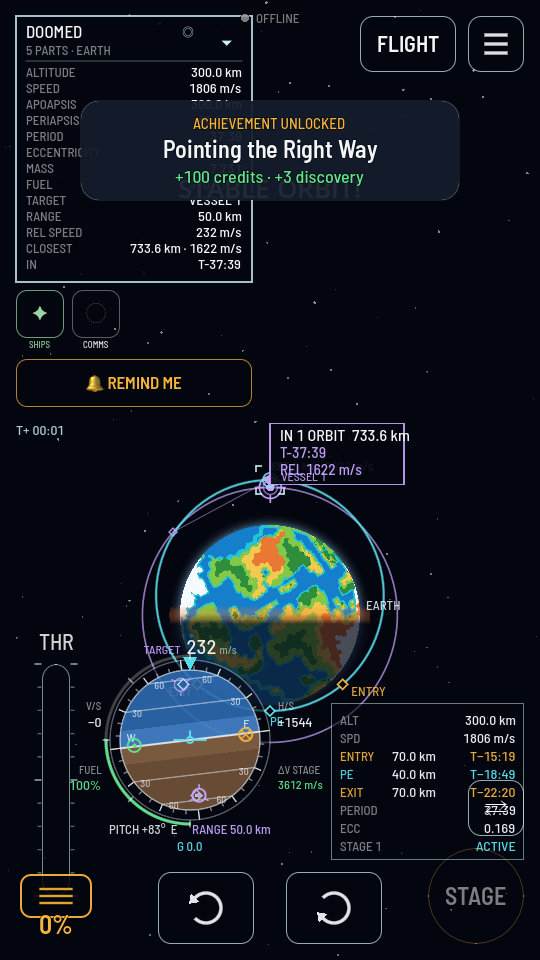
The navball switched to TARGET: every speed on it is now measured against the other ship. - Go back to the flight. Tap FLIGHT. Inside 20 km a chip appears at the top left with the target's name, the range and the word CLOSING, OPENING or HOLDING.
- Go into docking mode. Tap RCS, above the stage button, so it lights cyan. Then tap the mode switch above the throttle until it reads DOCK. Six buttons appear in one band along the bottom: a turn key in each corner, under your thumbs, and the four sliding keys between them, so you can turn and slide without swapping pads. The throttle, STAGE and RCS leave the screen while you are in it — the last few metres are flown on thrusters and nothing else — and the throttle closes itself to 0 %.
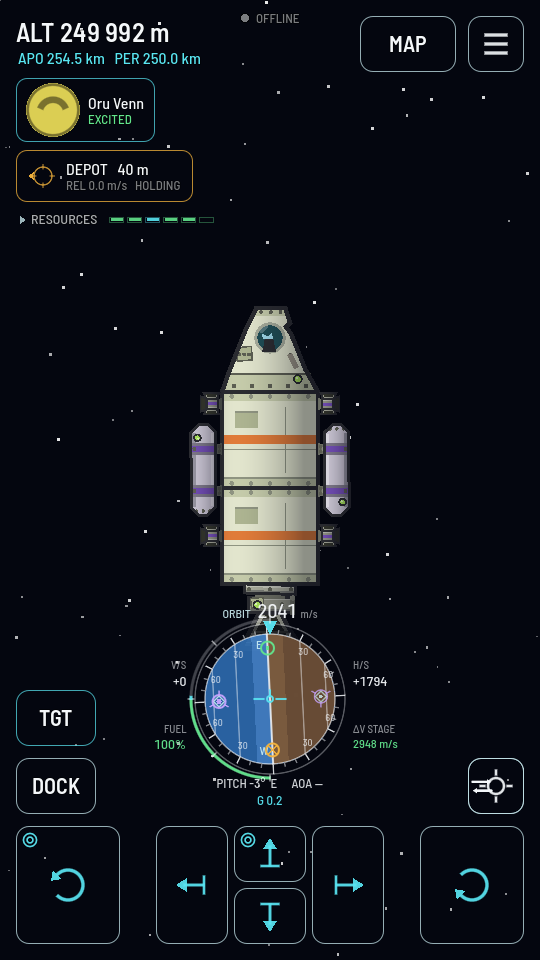
DOCK: a turn key under each thumb and the sliding keys between them. - Turn on TGT, if you want the keys aimed for you. The toggle above the mode switch — there because you targeted a ship in step 1 — reads the six keys against the ship you targeted instead of against your own hull: forward moves you toward it whichever way your nose points, and the left turn key swings the nose onto it. The arrows turn cyan and the two “toward” keys wear a small target ring. The view is held to your ship while it is on, nose up the screen with the world turning around it, so forward really is up the screen whatever your attitude. Leave it off if you would rather fly the ship's own axes with the horizon level.
- Line the ports up. Use the two turn keys until your docking port points straight at theirs, inside the port's 40 ° cone. Both ships must be steady, not turning against each other.
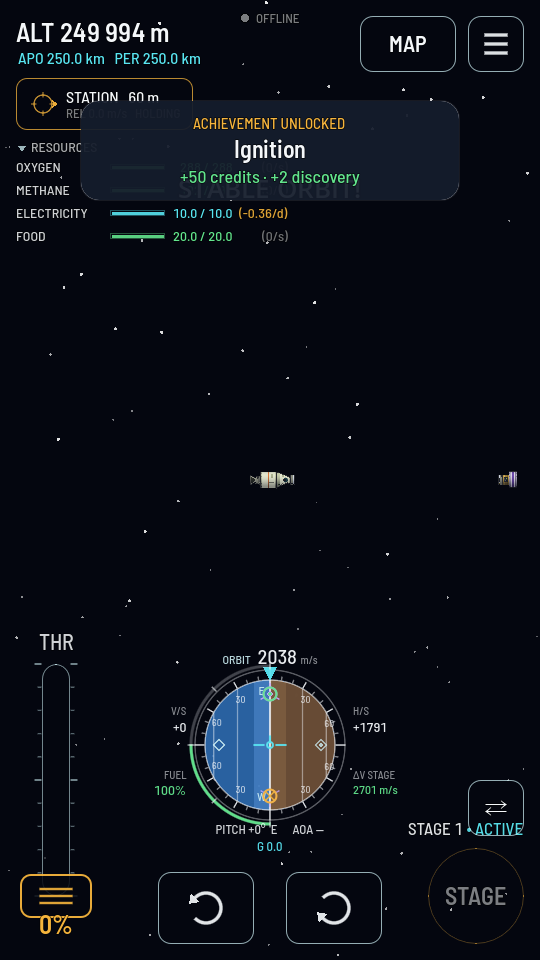
Sixty metres out, holding. From here it is the pad and nothing else. - Drift in on the sliding keys. Use short presses: a key held for five seconds overheats the thrusters, and they sit out ten seconds to cool (Thrusters heat up). Keep the chip reading CLOSING at well under 0.8 m/s, and use the sideways keys to keep the two ports lined up as you go.
What you should see
When the two faces meet close enough, slowly enough and squarely enough, the latches close on their own. The toast reads "Docked with" and the other ship's name, the target chip disappears, and there is one ship on screen where there were two. The other ship's tanks turn up in your resource readout, its thrusters answer your controls, and its card is gone from the map.
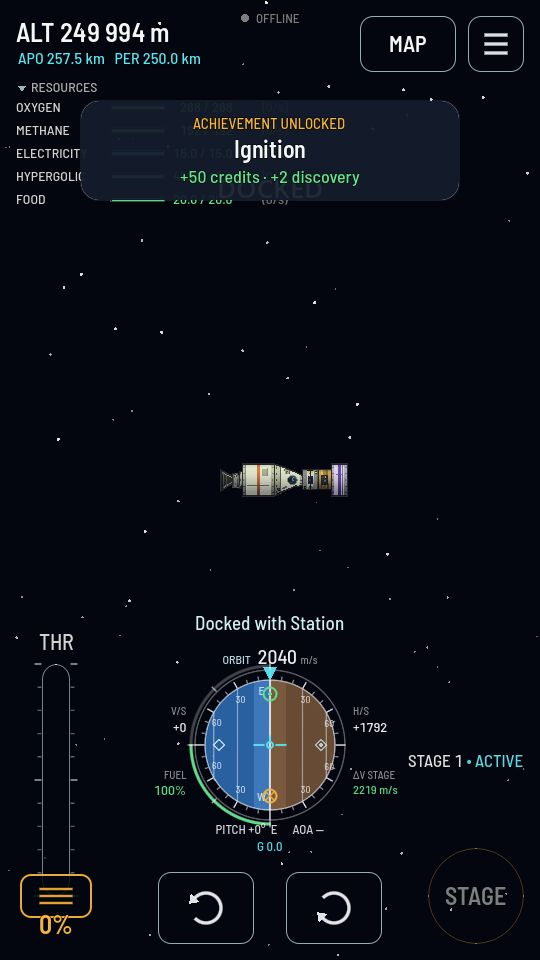
If nothing latches, you were too fast, too far off centre, too far out, one of you was still turning, or the ring's Docking switch is off. Back off on the pad, steady both ships and come in again.
That switch is also how you stop a ring latching. Tap the port and clear Docking to fly alongside another ship, or hold station a metre off it, without the two snapping together; turn it back on when you mean to berth. Clearing it never traps you — a ring already docked still undocks.
Once the pair is one ship, its crew can walk between the two halves: Transfer crew between modules. Do it before you undock.