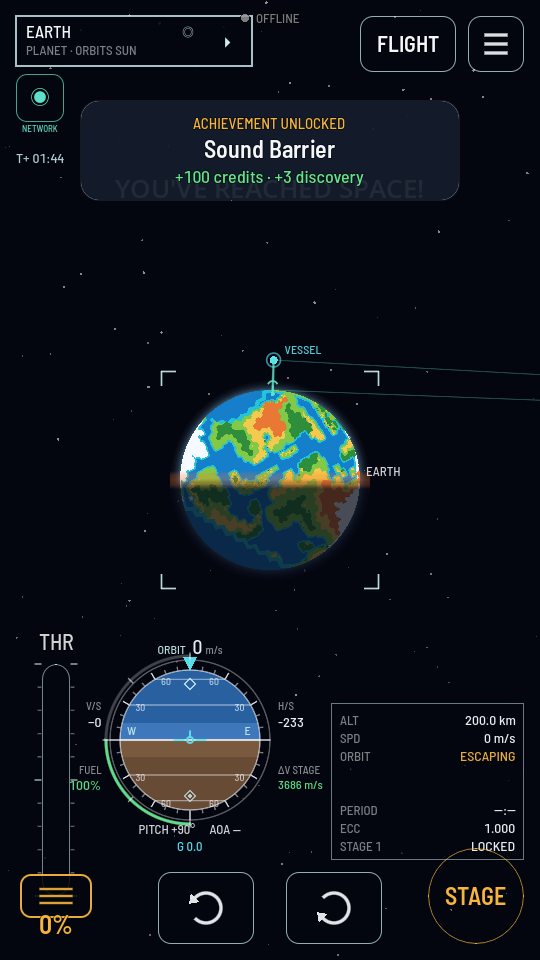
Communications
A rocket with somebody in it answers the hand on its stick. A rocket with nobody in it answers a radio, and if the radio stops so do you. This is how that link is made, what it costs, and what to build so it never breaks.
Who needs a link
Only a machine. Put a Command Pod or a Crew Capsule on a rocket, seat somebody in it, and the ship flies wherever it goes with no radio at all: the pilot is aboard and needs permission from nobody. Nothing about contact appears on the flight screen, because there is nothing to lose.
Build the same rocket around a Sat Controller instead and it is a remote-controlled machine. Everything you do to it — the throttle, the turn buttons, the stage button, tapping a part — is a command sent from the ground, and it only arrives while the ship is in contact.
The Sat Controller has a small aerial built in, rated at 3,000 km, which is enough to fly a probe up from the pad and into a low orbit with no antenna fitted, for as long as it is in sight of the ground station. Anything further needs a real one. See Parts: Comms for the six.
A link is a pair, not a number
Every antenna has a range on its card, and reading it as "how far this reaches" is the one mistake worth avoiding. A link is made between two aerials, and what it reaches depends on both of them.
Two aerials reach the square root of their two ratings multiplied together. So a small antenna talking to a big dish reaches far more than the small antenna's own rating, and a big dish on the ground lifts everything small that is already in the sky.
| Aerial | Its own rating | Talking to a new Comm Station |
|---|---|---|
| Sat Controller, built in | 3,000 km | 12 Mm |
| CW-1 Whip | 50 Mm | 50 Mm |
| CD-2 Dish | 10.0 Gm | 707 Mm |
| CD-3 Deep Space Dish | 500.0 Gm | 5.0 Gm |
Every antenna's info card carries that second column itself, as a row labelled VIA L1 STATION: what this part manages against a Comm Station nobody has upgraded. Ranges are written in Mm, a thousand kilometres, and Gm, a million.
The ground end is the Comm Station, and it is on Earth
Every chain finishes at the Comm Station: one dish, standing at the space center on Earth, turning round with the planet under it. You have it from your first day, at level 1, without buying it — and there is only ever the one. No other world has a station, so a world you fly to is a world you have to carry your own radio to.
That is what relay satellites are for. Earth turns, and a planet or a moon blocks the line, so anything out of Earth's sight is reached only through relays of yours in between — a probe on the Moon's far side talks to a relay in lunar orbit, and that relay talks home.
Its level is its reach, and because a link is a pair, extending it lifts every antenna you already have flying without launching anything.
| Level | Rated | Costs | Needs |
|---|---|---|---|
| 1 | 50 Mm | free | Nothing |
| 2 | 10.0 Gm | 3,500 credits | Deep Space Comms |
| 3 | 500.0 Gm | 12,000 credits | Interplanetary Comms |
It is bought once and it lifts everything you have flying, anywhere in the system. Level 2 also puts other players' ships on your map; at level 1 you see only your own, and the ship a player contract you hold sends you to. See the Comm Station's entry and The Space Center, and Keep a probe in contact for what to do when the link drops.
A relay passes a signal on
An antenna is one of two kinds, and its card says which on the ROLE row.
- Transmit — the ship carrying it can be flown through it, and that is all. Nobody else's commands go through this ship.
- Transmit + relay — the same, plus it carries other ships' traffic. The relays are the CR parts: the CR-1 Relay Whip, the CR-2 Relay Dish, the CR-3 Deep Space Relay.
That difference is the whole reason to build a network. Your commands flood outward from the ground station, and they can pass through a relay of yours and on to the next ship, but they stop dead at a plain antenna. Two plain antennas never talk to each other at all. So the middle of any chain is relays, always, and the far end can be the cheap part.
Your network keeps only the links it needs. Every ship holds exactly one link home: to the ground station if it can hear it, otherwise to the relay on the shortest way home that it hears best. Two relays that could talk to each other but have no traffic to pass are not linked, and a probe in reach of three relays is carried by one of them, not all three.
A relay is worth more the higher and the further out it sits, because it lifts the small aerials near it and it can see over a world that would otherwise be in the way. A relay parked in a low orbit is behind the planet as often as your probe is.
Carrying traffic costs a relay power
A plain antenna draws the same whatever is happening around it. A relay does not: it draws its own figure just to listen, and then more for every ship whose commands it is passing on. Its card says both, on the PER CLIENT and POWER AT FULL rows, and full means the most ships it will ever carry at once.
| Relay | Ships | Listening | Each ship | Full |
|---|---|---|---|---|
| CR-1 Relay Whip | 10 | 0.01 u/s | 0.004 u/s | 0.05 u/s |
| CR-2 Relay Dish | 25 | 0.04 u/s | 0.008 u/s | 0.24 u/s |
| CR-3 Deep Space Relay | 60 | 0.1 u/s | 0.012 u/s | 0.82 u/s |
The bigger the relay, the more ships it takes — and the more each one costs it, because those links are being pushed further. A whip carries ten short hops for 0.004 u/s each; a deep space relay carries sixty across the solar system at 0.012 u/s each. A high ceiling is not a free one.
So a relay is not a part you bolt on and forget. A CR-2 carrying its full twenty-five wants an SP-6 Twin Array to itself — exactly, to the unit; a CR-3 at sixty wants three and a half of them. Size the panels and the batteries for the network you mean to grow into, not for the one probe you are launching today. See Electricity.
You choose how many it carries
Every relay has a Clients carried setting on its part sheet — in flight by tapping the part itself, in the hangar by tapping it a second time once it is selected. It starts at the most the hardware will do, and turning it down is how you hold a relay's power bill to something its panels can actually pay. A relay set to two never asks for more than two ships' worth of power, however many drift into range.
When more ships are in reach than the setting allows, the relay keeps the ones it hears best — the strongest links — and the rest are left with no route home, exactly as if the relay were not there. On the map's NETWORK view each relay is labelled with what it is carrying over what it will take, 4/25, and the label turns amber when it is full. A network that has quietly stopped taking on new ships looks like nothing at all otherwise.
A relay short of power drops ships, not itself
While there is charge in its batteries a relay carries everything it is set to. Once the batteries are flat — a long spell in a planet's shadow, panels that were never big enough — it carries only what its panels alone pay for, and sheds the rest. In full eclipse with nothing coming in it carries nobody at all, and the ships behind it go quiet until the sun comes back round.
What it never does is go silent itself. Listening is paid for by the flat draw, and a relay's own link home is a slot on whatever it hangs off, not one of its own — so a starved relay is still reachable, and you can still turn its setting down or switch its antenna off. That is deliberate: a satellite you cannot talk to is a satellite you cannot fix.
What breaks a link
Two things, and only two.
Distance. The two ends are further apart than the pair reaches. A chain is only as strong as its worst hop, so one long gap in the middle drops the whole thing however good the ends are.
A world in the way. If any world's body crosses the straight line between two aerials, that hop is blocked. Air does not block anything and neither does a cloud; the solid ball does. This is what puts a probe out of contact on the far side of a planet with no special rule for it, and it is what most low-orbit blackouts really are. A ship standing on the ground, down on a crater floor or a basin included, sees out to its own horizon: anything above that horizon can hear it. Near Earth, range is rarely the problem. Earth is.
Once a link is up it survives a little past its own limit before it drops, so a ship parked exactly at the edge does not flicker in and out. That grace does not get you anything you can plan around; treat the rated figure as the limit.
The radio chip
A ship that needs a link carries a chip in the top left of the flight screen. A crewed ship never shows it, because there would be nothing on it to read.
| What the chip says | What it means |
|---|---|
| "LINK DIRECT" over "SIGNAL 92%" | Straight to a ground station, with plenty of reach to spare. The waves beside the mast are the same reading. |
| "LINK 2 HOPS" | Your commands are going through one relay of yours on the way. Three hops means two relays, and so on. |
| "WEAK — SIGNAL 12%" | The chip turns amber once the worst hop has used 85 % of its reach. This is your warning; on an ordinary orbit it is tens of seconds long. |
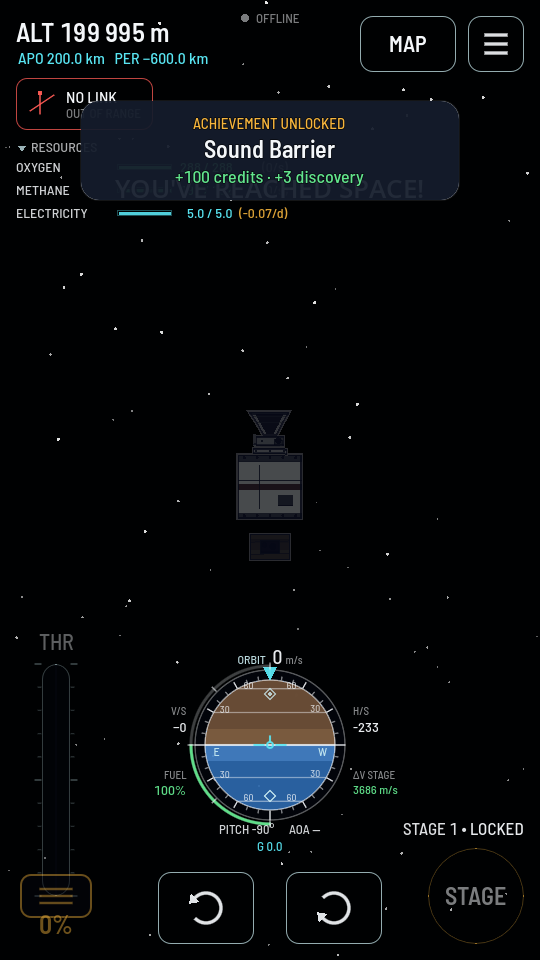
| "NO LINK" over "EARTH IN THE WAY" | There is a station or a relay of yours within reach and a world is standing between you and it — the name is whichever world it is. Nothing is wrong with the ship: wait, and the orbit brings it back into view. |
| "NO LINK" over "OUT OF RANGE" | There is an aerial aboard, nothing is in the way, and the nearest thing that could hear you is simply too far. This is the one that needs a bigger dish, a nearer relay, or a taller Comm Station. |
| "NO LINK" over "NO ANTENNA" | Nothing aboard can talk at all. The antenna is switched off, still folded in its housing, or was never fitted. |
Losing contact
Losing the link takes the ship away from you completely, exactly as though the command part had fallen off. No steering, no throttle, no staging, no tapping a part for its actions. The thruster pad goes with them.
What does not stop is the flight. A burn already running keeps running at the throttle you left it at, gravity keeps pulling, the air keeps dragging, and a probe on a course into the ground stays on it. Everything you can only look at still works: the instruments read, the map opens, the trajectory is drawn, and you can still set a reminder for the moment the ship comes back round.
A probe that comes down out of contact has still landed where it landed. Touching down counts for a contract or a point of interest just as it would with the link up, and the ship can be recovered as usual. This matters close to home: once a probe is on the ground a few tens of kilometres downrange, the curve of Earth hides it from the dish at the pad.
Contact comes back on its own the moment the geometry allows it, and every control comes back with it.
Seeing the network
The map draws the radio. In flight, a chip on the left picks one of three states: tap it and they open in a ring around it, OFF, CHAIN and NETWORK, the one in force ringed; tap one to pick it, or anywhere else to leave it as it was. The chip then reads COMMS while it is off, or the state it is in.
CHAIN draws only the hops carrying this ship's commands, plus the ground station they land on, so you can see at a glance whether you are talking straight home or through something. NETWORK draws every link your network holds, one per ship, and rings in red any relay of yours that nothing can reach. A dead relay is invisible from anywhere else, and that ring is how you find it. Every relay that IS reachable is labelled with what it is carrying over what it will take, 4/25, in amber once it is full.