Keep a probe in contact
Fit an uncrewed ship with a working aerial, check the radio chip before you need it, and find out on the map what is about to break the link.
You need this whenever the ship you are flying has nobody aboard. Lose contact and every control goes dead until it comes back.
Every link ends at the one Comm Station, on Earth. There is no dish on the Moon or Mars, however many worlds you have opened, so a probe working out there is either in Earth's sight or talking through a relay of yours. Plan the relay before you launch the probe.
- The ship is uncrewed. A pod with an astronaut in it never needs a link and never shows the chip.
- You have the Radio Comms tech node for a whip, or Deep Space Comms for a dish.
Before you launch
- Put an antenna on the ship. Open the Comms tab in the hangar's palette and pull one out onto a flank. A whip is fixed and works from the pad; a dish rides up folded and has to be opened later.
- Check the antenna is switched on. Tap it and look at its Antenna on toggle. It is on when the part is new, and an antenna switched off is worth exactly as much as no antenna.
- Give the ship charge to run it on. An antenna draws continuously, so add a battery and a solar panel. Parts: Comms gives each antenna's draw.
- If you fitted a dish, put it in a stage, after the stage that finishes the climb, so the boom swings out on its own once the ship is settled.
In flight
- Find the radio chip in the top left. It reads "LINK" with either "DIRECT" or a hop count beside it, and a signal percentage under that. The waves drawn beside the mast are the same reading.
- Open a folded dish once the burn is over. Tap it and tap Deploy. Until the boom is out the dish counts for nothing and the ship is flying on whatever else it carries.
- Watch for the chip turning amber. Amber means the weakest link in the chain is nearly at its limit. On an ordinary orbit that is tens of seconds of warning.
- Open the map, tap the comms chip on the left and pick from the ring that opens: OFF, CHAIN or NETWORK. CHAIN draws only the hops carrying this ship. NETWORK draws every link you own, rings any unreachable relay in red, and labels every working one with what it is carrying over what it will take.
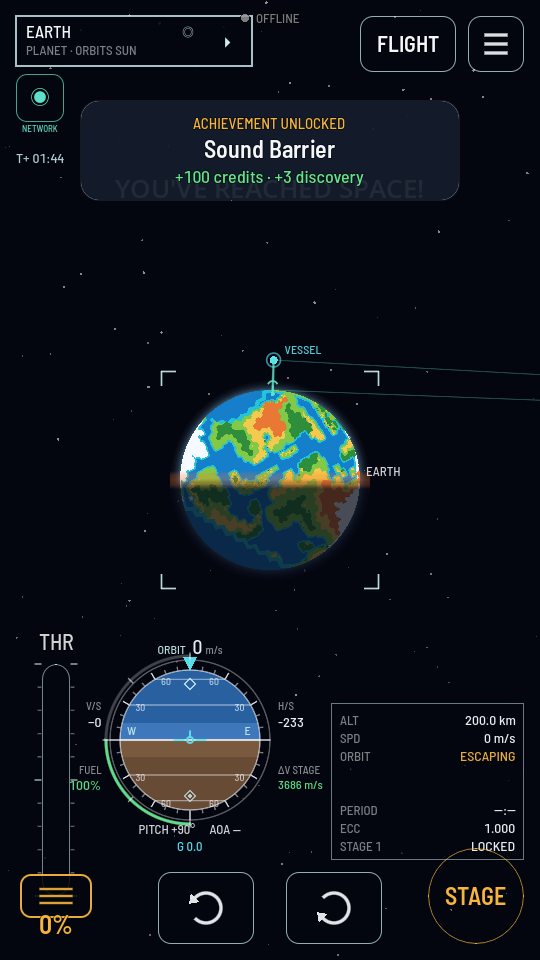
The word under the chip is the state it is in. Tap it again to go back to off. - Finish anything that needs the controls before the chip goes red. A burn already running keeps running with no link, but you cannot start, stop or change one.
What you should see
The chip stands in cyan with its full fan of waves for as long as the ship is in reach and nothing is in the way. It turns amber near the limit, then red with a bar through the mast when contact is lost, and it comes back on its own the moment the ship is in view again.
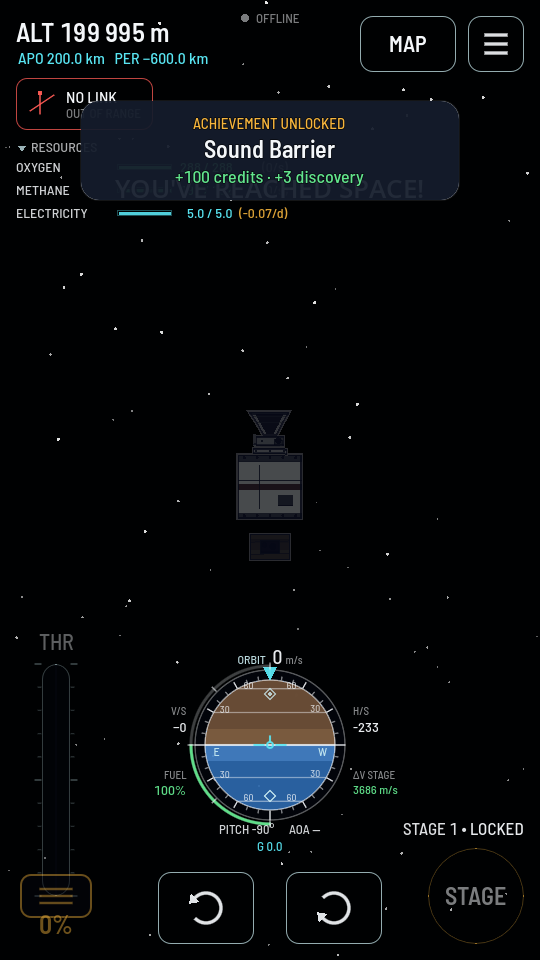
If the chip says "NO LINK"
| Second line | What to do |
|---|---|
| "NO ANTENNA" | Tap your dish and Deploy it, or tap your antenna and switch Antenna on back on. If neither exists, this flight is over as soon as the ship is out of the Sat Controller's own small reach. |
| "EARTH IN THE WAY" (or another world's name) | Wait. Something of yours is well within reach and that world is between the two of you, which on a low orbit is most of every lap. The ship comes round on its own. If you would rather not wait out every pass, that is what a relay in a HIGHER orbit is for: from up there it sees round the planet, and it lifts your low ships as it goes. Two satellites in the same low orbit cannot see each other more than about 90° apart. |
| "OUT OF RANGE" | Nothing is in the way and the gap is too wide. Extend the Comm Station on Earth, put a relay of your own between the two, or fly the next one with a bigger dish. If a relay of yours IS in reach and still nothing gets through, check on the map whether it is full or short of power — a relay only carries as many ships as its Clients carried setting and its batteries allow. |