Take a reading
Measure the air with a Thermometer, a Barometer or a Mass Spectrometer in flight, and find the measurement again in your log afterwards.
You need this the first time you fly an instrument, and every time you reach somewhere you have not measured before.
- You own the tech node that sells the instrument: Instruments for the Thermometer, Barometry for the Barometer, Spectrometry for the Mass Spectrometer.
- The ship carries a battery, or a pod with charge in it. A reading with no charge to pay for it does not happen. A Mass Spectrometer reading costs 0.8 u, four times a Thermometer's, so a spectrometer flight wants a battery of its own.
Steps
- Put the instrument on the ship. In the hangar, tap the category tabs down the left edge until the drawer's header reads ‹ Sensors, then pull the instrument you want sideways out of the drawer and drop it on the flank of a tank or a pod. It joins with one point, flat against the hull.
- Launch. Tap Fly, then STAGE to light the first stage.
- Fly to where you want the measurement. The altitude readout at the top left of the flight screen is the figure the reading will be filed under.
- Tap the instrument on the ship. Its sheet opens over the flight screen, titled Thermometer, Barometer or Mass Spectrometer.
- Tap Take reading. The sheet closes and the measurement appears in a line under the ship: what it read, then the altitude. A Thermometer adds the same figure in degrees Celsius when there was air; a Mass Spectrometer adds the three biggest gases it found and counts the rest.
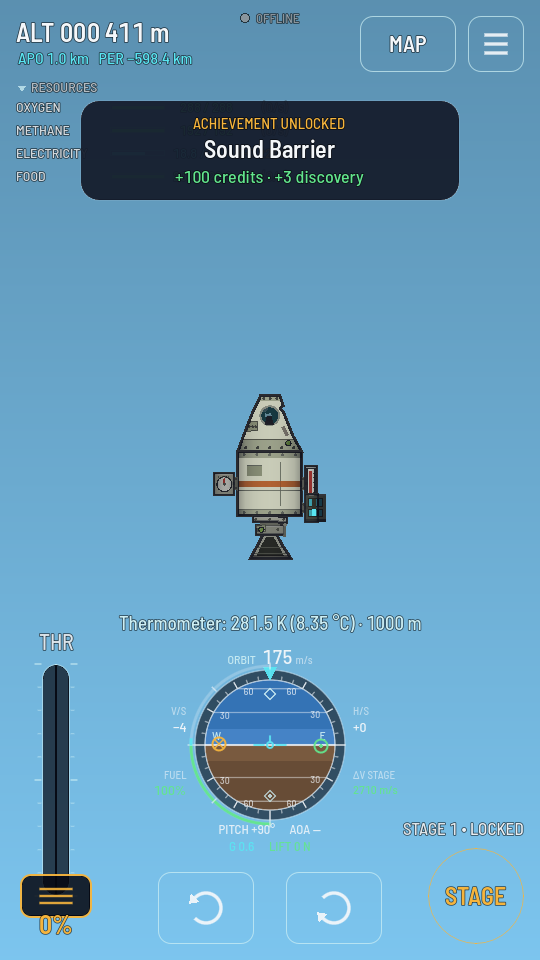
The reading's line sits under the ship. An achievement it earned pops up above it. - Find it again in the hangar. Tap the purse at the top left of the hangar. The sheet that opens is titled Your purse; tap Readings on it. Your whole log opens, newest first.
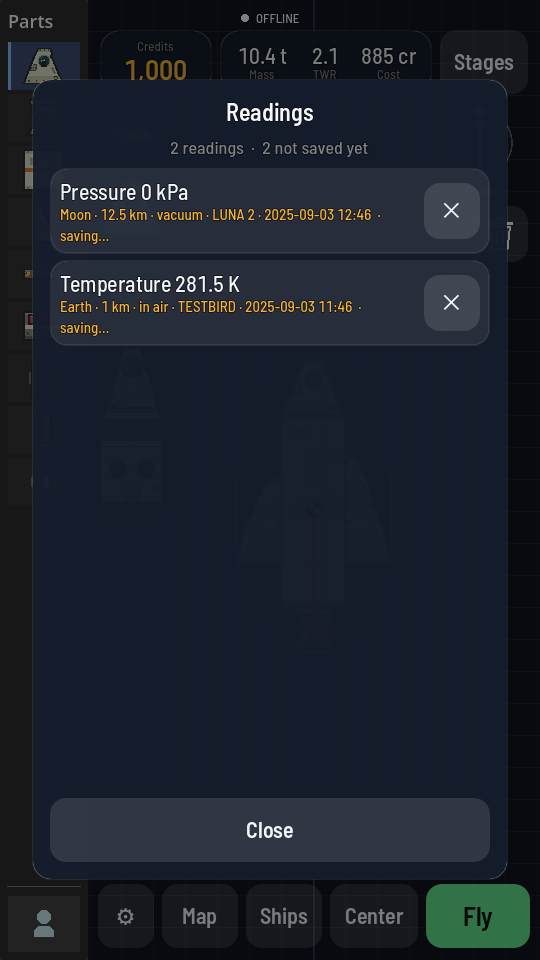
Each row names the measurement, then where, how high, whether there was air, and which ship took it.
What you should see
A reading that worked prints one line under the ship with a figure in it, and adds a row to your log. If it earned an achievement, its own panel appears above with the credits and discovery it paid.
A reading that found no charge prints the instrument's name and no power instead of a figure. Nothing is measured, nothing is filed and nothing is paid. Add a battery, or wait for a solar panel to put charge back.
A row marked saving… in the log has not reached your account yet. It goes on its own the next time the game connects. To throw a reading away, tap the ✕ beside its row.