Open a payload bay
Swing the clamshell doors of a Payload Bay open so you can reach what is mounted inside, and shut them again afterwards.
You need this to use an instrument you carried up in the bay: while the doors are shut, a tap will not reach the cargo behind them.
- A Payload Bay is on the ship, with the cargo mounted on one of its three inner rails.
- You are in the flight. The doors work on the pad as well as in space, so there is nothing to wait for.
Steps
- Tap the bay. Tap the hull itself, not the cargo: while the doors are shut they cover what is inside.
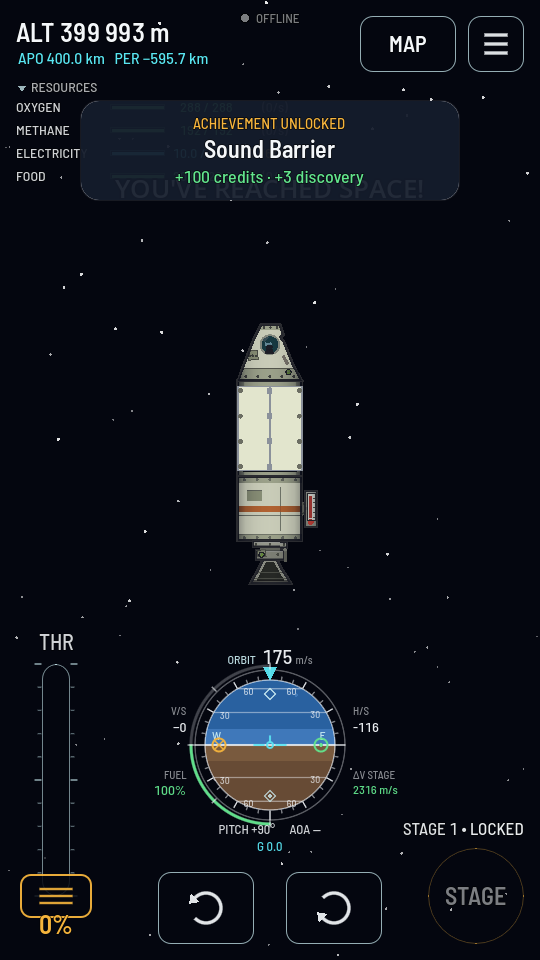
Shut: a plain hull with a seam. Nothing inside can be tapped. - Tap Open doors. The two leaves swing out over a second and a half and park standing clear of the hull.
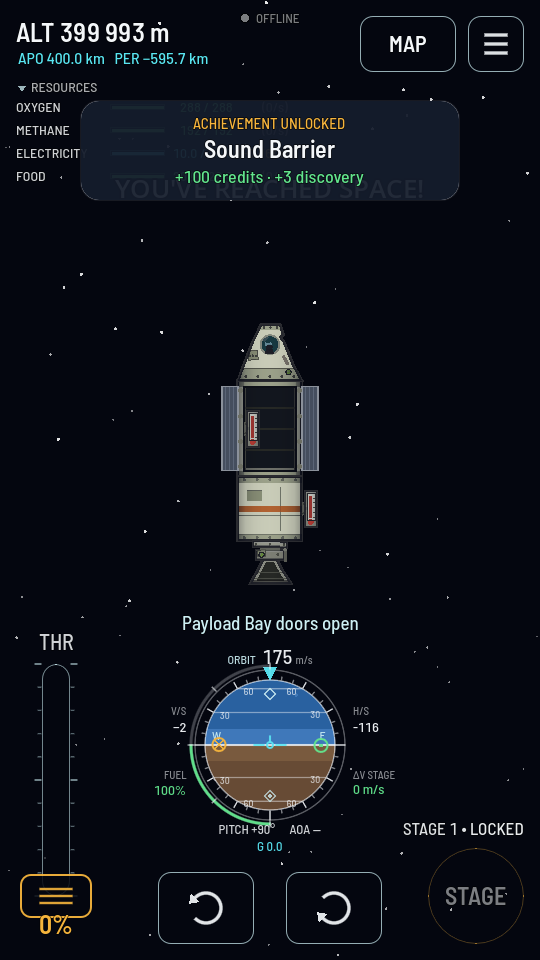
Open: the cargo is visible on its rails, and the toast confirms it. - Tap the cargo to work it. An instrument's own sheet opens the way any part's does.
- Tap the bay again and choose Close doors when you are done. The button is worded by whichever way the doors are.
Doing it from the staging list instead
- In the hangar, tap Stages.
- Select the bay on the ship and tap + on the stage you want. Put it in a second stage as well to shut the doors later on.
- In flight, tap STAGE. Each firing swings the doors the other way from wherever they are.
What you should see
The toast reads "Payload Bay doors open", the leaves swing wide, and whatever is on the rails is drawn in the open cavity and answers a tap. The doors stay where you leave them: a satellite abandoned in orbit with its bay open is still open when you come back to it, and one left shut is still shut.