Jettison a fairing
Split the shell off the nose of your rocket once you are above the air, and leave the payload behind it standing on the stage below.
You need this on every flight that carries a Payload Fairing or a Contoured Fairing: the shell is dead weight the moment there is no air left for it to protect the payload from.
- A fairing is on the rocket with the payload mounted inside it.
- You have launched. Jettison is greyed out on the pad.
Heads up
Check the hangar before you fly. If a line under the ship's mass names a part "outside the fairing", the payload stands through the skin and the shell breaks up the instant you launch. Widen a ring, lengthen the shell, or move the payload down.
Steps
- Climb clear of the air. The altitude readout is at the top left of the flight screen.
- Tap the fairing. Its sheet opens with one action on it, Jettison, live now that you have launched.
- Tap Jettison. The seam sparks, the shell parts down the middle and the toast reads the fairing's name followed by "away".
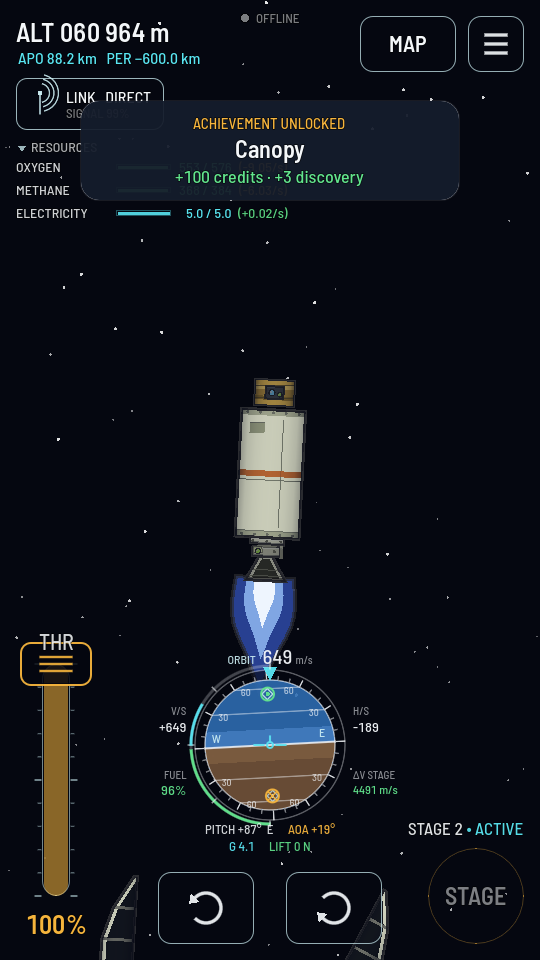
The two halves are already falling clear at the bottom of the screen; the payload rides on.
Doing it from the staging list instead
- In the hangar, tap Stages.
- Tap the stage you want it to fire on in the first column — or the + tile under them for a stage of its own — then select the fairing on the ship and tap the + tile at the foot of the second column. The fairing's picture joins that stage.
- In flight, tap STAGE when that stage's turn comes. It splits exactly as a tap does.
What you should see
Two half-shells spring apart and fall behind the rocket. They are real: they tumble, they take the air, and they break when they reach the ground. The payload stays exactly where it was, re-attached to whatever the fairing was standing on, and the ship's mass drops by the shell's weight. Nothing of the fairing comes back and nothing of it is refunded.