Deploy a solar panel
Get a panel's wings out of their housing so the ship starts charging, and fold them away again before anything can tear them off.
You need this once a ship is settled where it will stay a while, and again before it goes anywhere fast. A stowed panel makes nothing at all.
- A solar panel is on the ship. If none is, there is nothing to deploy.
- You are out of the air, or nearly still. A wing out in fast air is torn off.
- The ship is on screen and you can reach the panel with a thumb.
Steps
- Tap the panel. Its sheet opens over the flight screen, named for the part: SP-1 Solar Panel, SP-3 Solar Array or SP-6 Twin Array.
- Tap Deploy. The sheet closes and the wings start swinging out of the housing. The SP-1 takes 1.2 s, the SP-6 3 s.
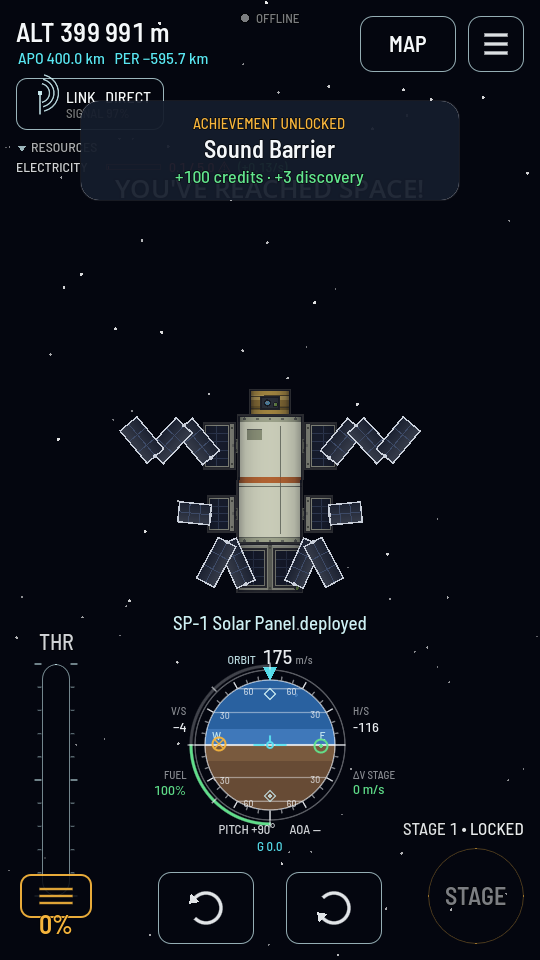
Half way out: the cells are still folded back on each other and the panel is making half its charge. - Read the toast under the ship. It says the panel's name followed by "deployed".
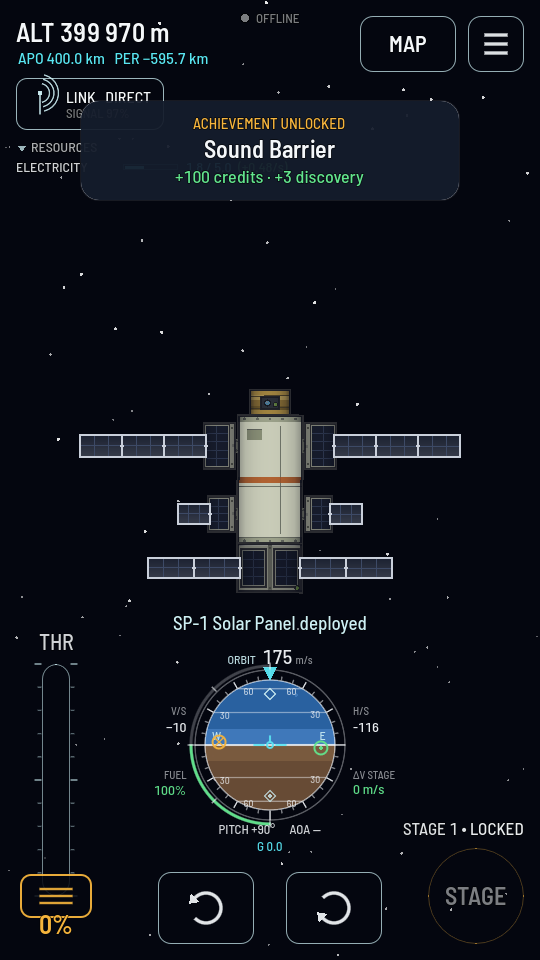
Fully out. The wings are straight and the panel is making its rated figure. - Fold it away with the same button. Tap the panel again and the sheet now offers Stow. Do that before a burn that pulls G, before entering air, and before a landing.
Spread it in the hangar instead
You do not have to wait until you are flying to see what an open panel looks like. Anything that folds out — a solar panel, a dish antenna, a landing leg, a payload bay's doors — carries a stance switch on its properties sheet in the hangar, and the ship keeps whatever you set there.
- Tap the part in the hangar, then tap it again. Its properties sheet opens at the foot of the build area.
- Throw the switch. A panel's says Deployed, a leg's the same, a payload bay's says Doors open. The part swings out on the canvas at once — there is no clock in the hangar, so nothing is animated.
- Leave it set, or throw it back. The setting is saved with the design and with the ship, so a lander built standing on its legs leaves the pad standing on its legs, and a probe built with its array spread flies that way.
Deploy it from a stage instead
A panel can sit in the staging list and open the moment its stage fires, which saves finding it with a thumb while the ship is doing something else.
- In the hangar, tap Stages. The two left-hand columns become the stages and their contents; the ship stays in view.
- Put the panel into a stage of its own, after the one that finishes the climb. It will swing out when that stage fires.
What you should see
The wings unfold out of the flanks and stay there. In the readout at the top left, the ELECTRICITY row's bracketed rate swings positive whenever the ship is in sunlight, and the batteries start filling. In a world's shadow the rate falls back and the level stops climbing until the ship comes round into the light again.