Install and sign in
Where the game comes from, how you sign in and what your account carries between devices, and what still works with no connection at all.
Getting the game
There is one address for all of it: orbital-frontier.world/download. Open it on a phone and it sends you to that phone's own store; open it on a computer and it is the page with the download on it. It is the link worth passing to somebody else, whatever they are holding.
On iPhone, Orbital Frontier reaches you through TestFlight, Apple's own way of trying a build before it ships to the App Store. Once you have been invited as a tester, a build shows up there and TestFlight tells you when a newer one is ready.
On Android, the game comes as a file you install straight onto the phone, or, once it has a listing there, as an update from Google Play. Either way it is the same game and the same account underneath.
On a computer there is no store at all — Mac, Windows and Linux are each a file you download from that page, which always has the newest one. The page knows what you are reading it on and puts your own at the top, with the steps for it underneath.
On a Mac
The Mac version is a download rather than a store listing: orbital-frontier.world/download always has the newest one. Open the disk image, drag Orbital Frontier into your Applications folder, and that is the install.
The first time you open it, macOS may refuse and say it cannot check the app for malicious software. That is because the build has not been through Apple's notarizing, not because anything is wrong with it. To let it through, open System Settings › Privacy & Security, scroll to the bottom, and press Open Anyway beside the message about Orbital Frontier. You are asked once; it opens normally from then on. The download page says which of the two cases the build you are getting is in, and has the same instructions beside the button.
It is the same game and the same account as on a phone, so a rocket you leave in orbit from the Mac is in the sky when you open the game on your phone.
On Windows
Windows is a download too, from the same page. It arrives as a .zip: unzip the folder anywhere you like — your Downloads folder is fine — and run Orbital Frontier.exe inside it. Keep the folder together, because the game reads the files sitting beside the program.
The first time you run it, Windows shows a blue box saying Windows protected your PC. That is SmartScreen, and it appears because nobody has yet vouched for us with a code-signing certificate — not because anything is wrong with the file. Choose More info, then Run anyway. Windows remembers it from then on, so you are asked once per computer rather than once per build.
On Linux
Linux comes as a .tar.gz, and there is nothing to install and nothing to get past. Unpack it and run the program inside:
tar -xzf orbital-frontier-*.tar.gz
./orbital-frontier/orbital-frontier.x86_64
The archive keeps the file marked as runnable. If you unpacked it with a file manager that dropped that, run chmod +x on the program first. It is a 64-bit build and wants working Vulkan drivers, which any reasonably current desktop has.
Whichever computer you are on, it is the same game and the same account as on a phone: a rocket left in orbit from a desk is in the sky when you open the game on your phone.
The first start
The first time it opens, the game downloads its pictures — the maps of the planets, the worlds themselves with their mountains and craters, and the faces of your crew — before anything else, with a progress bar. That start needs the internet; if the download cannot be had, the screen says so and offers Retry. It downloads them again only when they change, and plays offline on the ones it has. See The screens.
Signing in
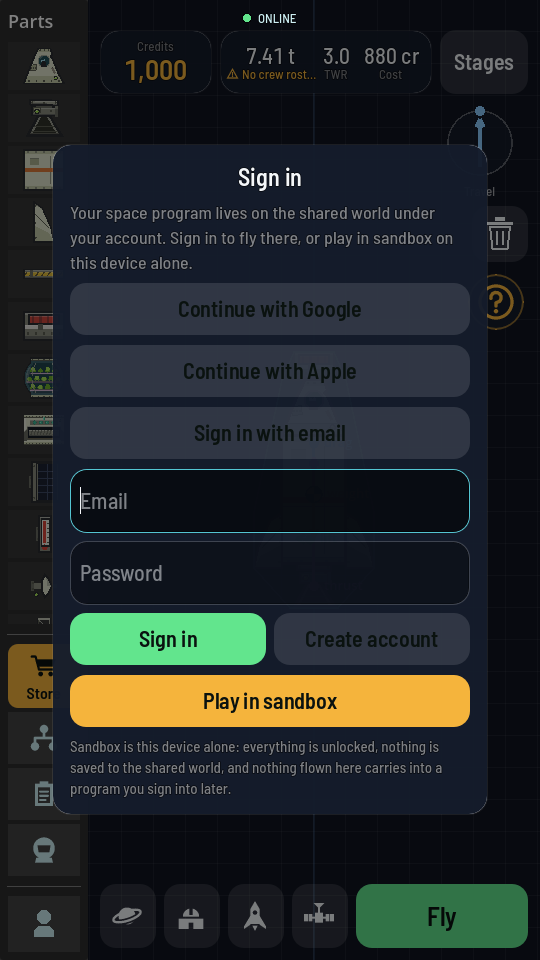
The first time the game opens it asks you to sign in — with Google, with Apple, or with an email and a password — or to Play in sandbox instead, which needs no account. Your space program is kept on the shared world under the sign-in, so signing in on another phone, or after reinstalling, brings all of it back. You are asked once: the game keeps you signed in from then on.
Google and Apple open in your phone's own browser and hand you straight back to the game; email is typed on the sheet itself, and Create account makes one. A new email account is sent a link first, and you tap it to prove the address is yours (Confirm your email). Settings, from the small figure at the foot of the parts column in the hangar, has the Account section: who you are signed in as, Sign out, and the code that puts your program on a second device (Your account).
What your account holds
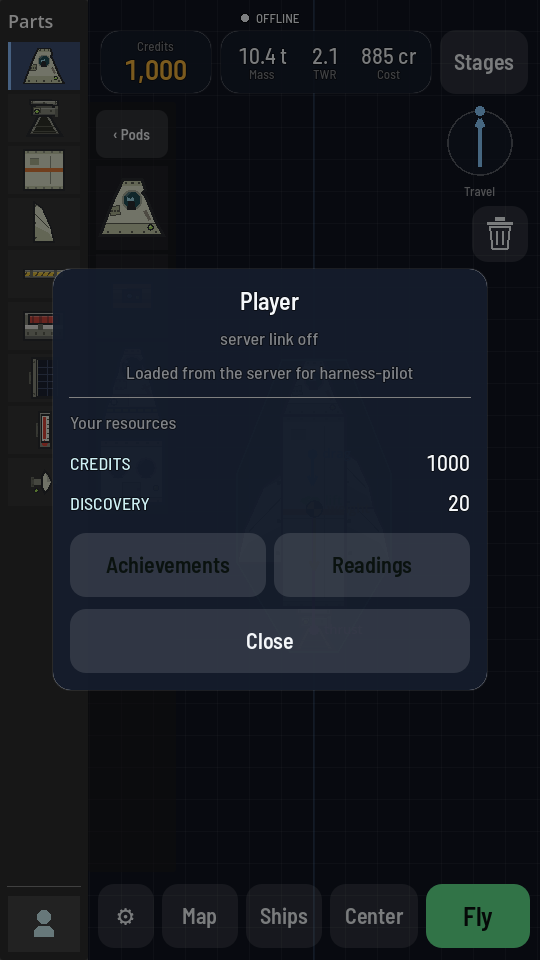
Your account carries your whole game forward: the credits and discovery you have earned, the tech nodes you have bought, and the buildings standing at your Space Center on Earth. It also carries your crew, the game calls them the Meek, and your ship library, every rocket you saved from the hangar.
| You start with | |
|---|---|
| Credits | 5,000 |
| Discovery | 0 |
| Gems | 100 |
The ship library follows you the same way: a rocket saved on one phone is there the next time you open your ships on another, under the same account.
Playing offline
The game keeps a copy of the parts, the way they look and its pictures on the phone itself, so once it has opened once with a connection the hangar opens and works with no connection at all. What you cannot do offline is spend anything that belongs to your account: a launch cannot be charged and a tech node cannot be bought. An achievement you earn offline is kept on the phone and claimed the next time the game reaches the world, and so is a reading you take. The About list in Settings says World server: offline when this is the case.
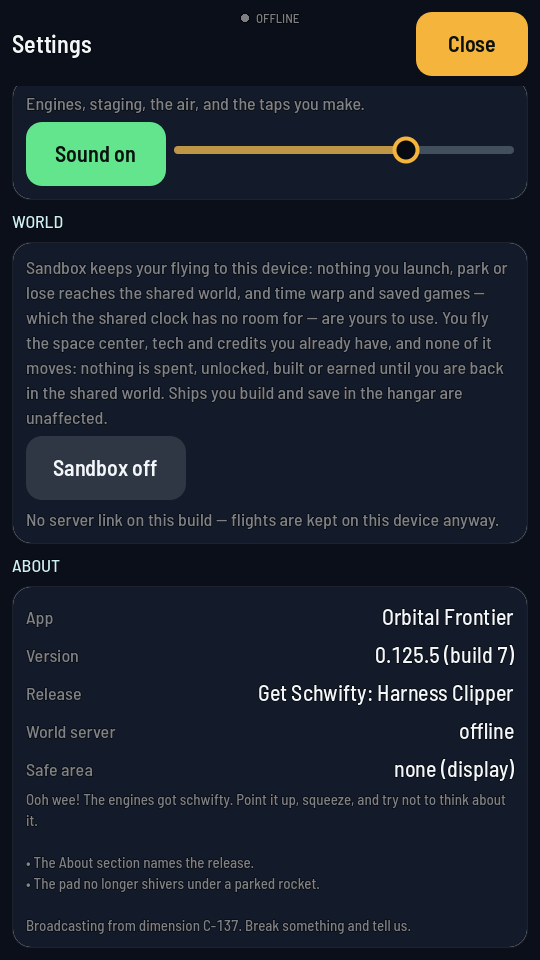
Nothing is lost by flying offline. The moment the game finds the shared world again, it picks up exactly where your account left off, and anything you flew in the meantime while offline simply never touched it.
Sandbox: a place to fly with nothing at stake
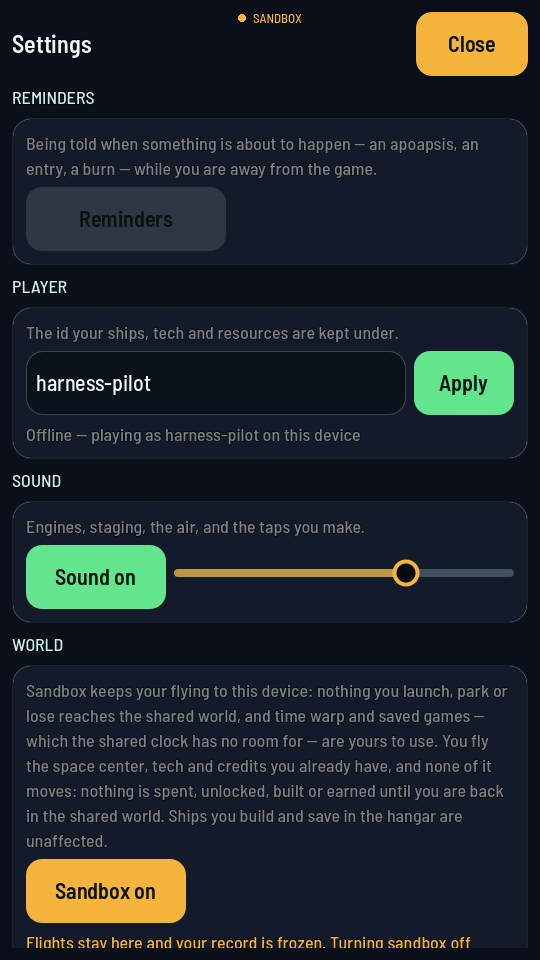
Settings also has a Sandbox switch, under World. Turned on, everything you launch, park or lose stays on this one device and never reaches the shared world: nothing is spent, unlocked or built on your account there, however the flight ends; sandbox keeps only its own achievements and its own crew, on this device. Signed in, you still fly with the credits, the tech and the Space Center your account already has — sandbox reads them, it just never writes anything back. Signed out, you are in sandbox whatever the switch says, with the tech tree up to tier 2, a level 3 launch pad and a founding astronaut to fly with, and nothing flown there carries into a program you sign into later. It is the one place with a clock of its own, so it is also where time warp and saved worlds live; the shared world runs on one real clock that nobody can speed up. Turning sandbox back off drops the local world and brings the shared one back — or, if you are signed out, opens the sign-in sheet first.