Take a player contract
Take a job off the board every pilot shares, with its penalty set aside until you deliver.
- You are in the shared world. In sandbox there is no board.
- Your Administration is at level 2 or higher; level 1 has no player contracts.
- Your pilot rating is 250 or more. Under it no contract can be taken.
- You hold fewer contracts than the Administration allows, and you have the penalty in credits.
Steps
- Open the Space Center and tap the Administration. Its sheet opens with its level, its figures and its buttons.
- Tap Player contracts. The board opens over the Space Center. The line under its title is your rating and how many contracts you hold, out of how many you may.
- Find a card under OPEN. Drag the list to scroll. Each card gives what it pays, the world and the orbit band, the place to land or the ship to dock to, the parts, the poster's record and the clocks.
- Tap View. The card opens in place: any resources the ship must carry, what missing it would cost you, and Accept.
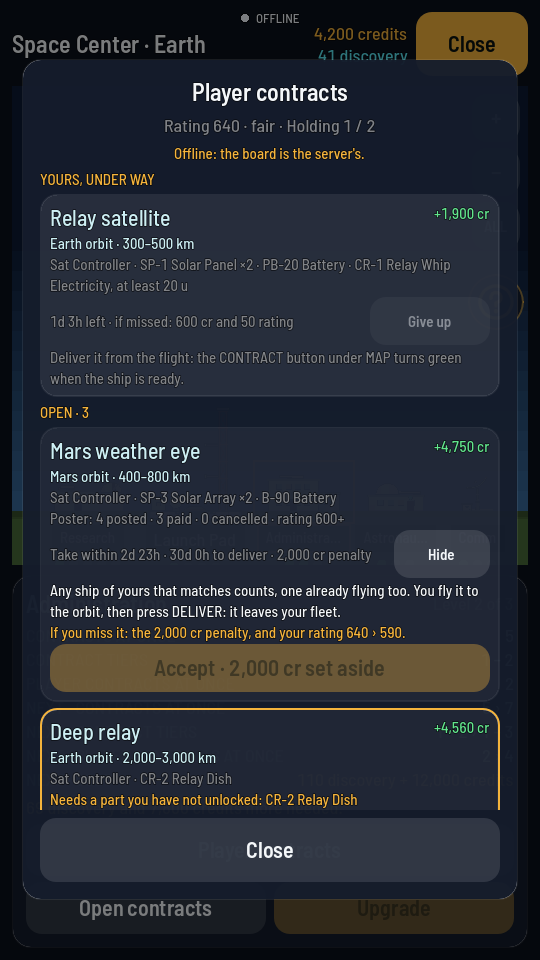
The card open, with Accept at its foot. - Tap Accept. It reads Taking it… while the game takes it on. A button that names a reason instead (no free slot, a penalty more than you have) will not press.
What you should see
The card moves up under YOURS, UNDER WAY with its delivery clock, and your credits go down by the penalty. A passenger waiting at the Space Center joins your roster at once, to seat in the hangar like any tourist; one waiting aboard a ship is taken aboard when you reach it. Then fly a ship to it.