Switch to sandbox
Take your flying off the shared world and onto this phone, where you can warp time, save a world and lose a rocket for nothing.
You need this to practise a landing, to try a design you expect to crash, or to skip a four-hour coast that the shared world will not let you skip.
- Do it from the hangar. The switch is on the app's Settings screen, which you cannot reach in flight.
- Nothing you do in sandbox is spent, unlocked or built on your account. Sandbox keeps its own achievements and its own crew, on this phone. See Your account.
Steps
- Open Settings. Tap the small figure at the foot of the hangar's parts column, below the palette. The Settings screen covers the hangar.
- Find WORLD. It is the first section, at the top of Settings, with the Sandbox row in it. Tap the ? beside the name to read what sandbox does; tap it again to fold it away.
- Tap the Off switch on the right of the row. It turns amber and reads On, and the line under it warns that turning it back off will drop whatever you flew.
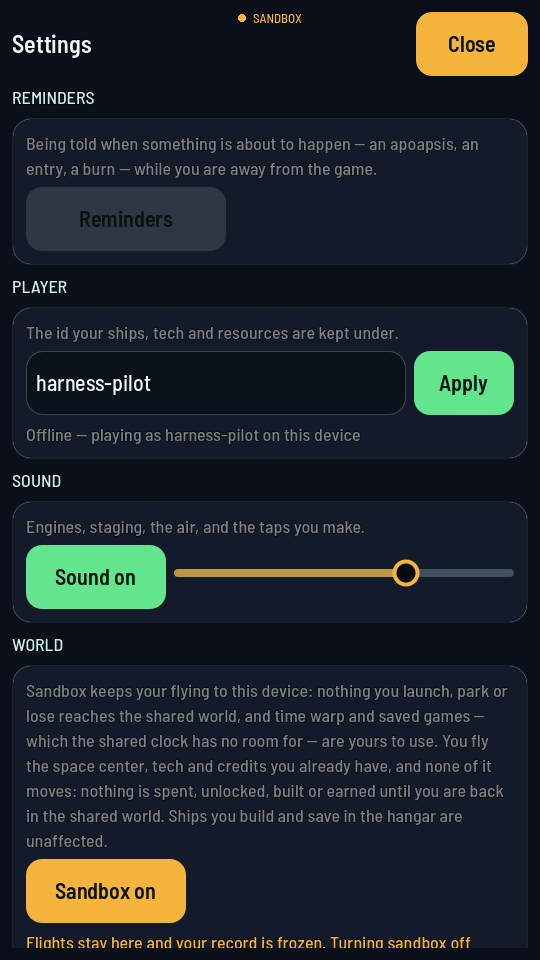
The switch reads back its own state: amber and On means you are in your own world. - Tap Close and fly. The chip at the top of every screen now reads SANDBOX instead of the shared world's.
- Warp time from the map. In flight, open MAP. A rate button appears in the top right under the menu button; tap it and pick a rate. The ladder runs 1×, 2×, 4×, 8×, 20×, 50×, 100×, 1000×, 3000× and 5000×. The button then reads the rate you picked, and the game says it once across the middle of the screen.
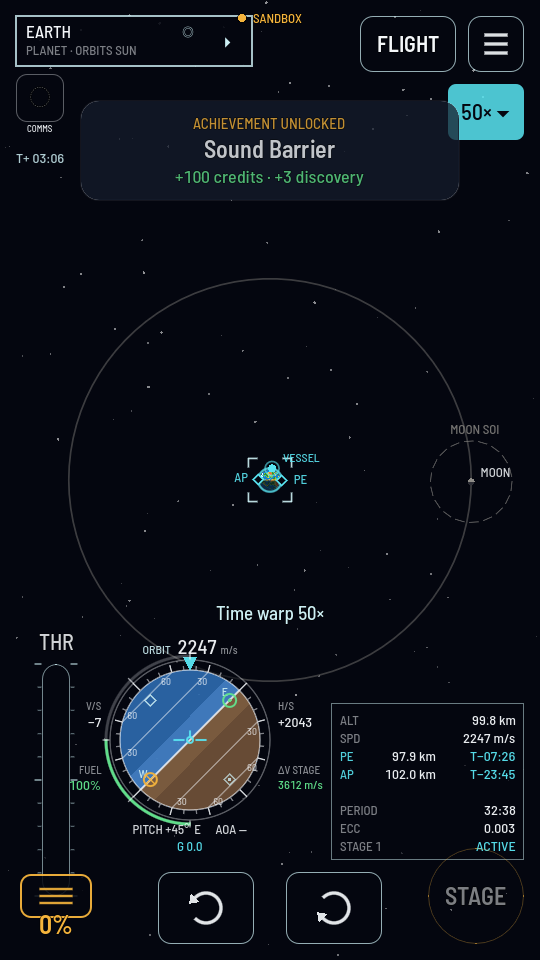
The rate button, and the world running fifty times over underneath it. - Save the world if you want to come back to it. The flight menu's SAVE and LOAD only appear in sandbox. A world saved mid-flight is loaded back mid-flight.
- To leave, tap the On switch again. It reads Off, the shared world is fetched back, and the line underneath says you are in it. Signed out, the tap opens the sign-in sheet instead, and the switch flips the moment you are in — the shared world is only ever entered under an account.
What you should see
The chip at the top of the screen reads SANDBOX for as long as the switch is on, including after you close the game and open it again. Your credits, tech and buildings look exactly as they did, because they are the ones your account holds, and they do not move while you are here. The crew, the achievements and the discovery figure are sandbox's own. Everything you launched in sandbox is dropped the moment you switch back.
Heads up
Warp needs a coasting orbit clear of the air. Ask for a rate on the pad, under thrust or inside the atmosphere and the game says so and stays at 1×. An alarm aboard stops it too: the moment an antimatter container starts failing, warp drops to 1× and stays there, saying No time warp while an alarm is sounding, until the container holds again or is vented. Reminders do not reach your phone from a sandbox world either, since its clock only runs while you are playing.