Switch to a dropped stage
Fly a piece you just dropped instead of the ship you launched with: a spent booster with a Sat Controller aboard, or any other piece that can steer itself.
You need this to fly a booster home after it separates, or to check on a piece that carries its own command part before it falls out of reach.
- A stage carrying a Sat Controller, or a Command Pod or Crew Capsule with a Meek seated in it, has already separated. Anything else — an empty capsule included — is plain debris and cannot be flown.
- You are in the flight, not on the map or in the hangar.
Steps
- Look for the ⇄ button near the turn controls at the bottom of the flight screen. It only appears once a piece nearby carries a command part of its own.
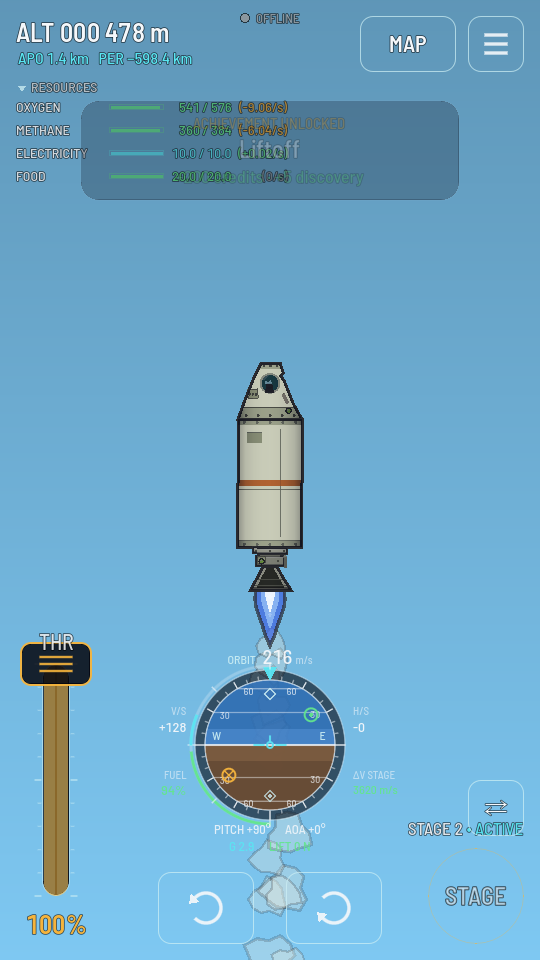
The ⇄ button appears the moment a flyable piece is nearby. - Tap it, or press V on a keyboard. Control jumps to that piece: its own engines, fuel and staging take over the screen, and the ship you were just flying is left to coast on whatever it was doing.
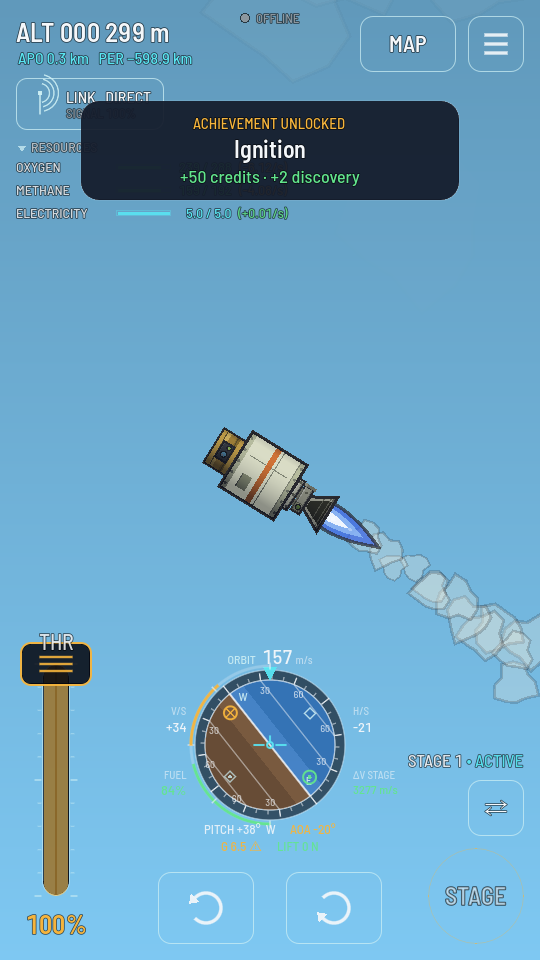
Now flying the booster: its own stage, its own throttle. - Tap ⇄ again to come back. It returns you to the ship you just left, exactly as you left it.
What you should see
The ⇄ button cycles the stages you dropped, and your own ships flying close beside you too: the other half of a ship you split, even after you have left the flight and come back to it from the hangar. A satellite you left behind out of signal can still be taken; it answers the controls once the Space Center can reach it again. On the map, such a ship close by shows CONTROL as well. Tapping a piece's parts works too, and works on every ship drawn beside you, dropped or not: tapping a part of another ship opens a sheet named after it with a Take control button, which is how you pick one piece among several, or take over a station you have just pulled up beside. See Rendezvous and docking.
The fuel, staging and throttle readouts all belong to whichever ship you are flying right now. Whatever you left behind keeps going on its own: a booster still burning keeps burning until its tank runs dry, an open parachute keeps dragging, and none of it can be steered until you switch back to it. A piece is solid, so a burning one that drifts back into your ship can still strike it.
If the ship you are flying is lost
A ship that crashes or blows up while another one you can fly is still in the flight — the carrier a rocket was released from, a satellite you dropped — does not end the flight. A moment after the blast, control passes to that ship by itself, as if you had tapped ⇄; with several, the next one in the button's order is taken. Once it is the only ship left, the ⇄ button goes. The flight is over, and the menu opens on the way back to the hangar, only when the last ship you can fly is gone. What a crash left standing stays on the ground as a wreck.