Save and reuse a sub-assembly
Keep a piece you built, such as a satellite or a lander, and add it to any rocket later without building it again.
A sub-assembly is a saved piece of a ship rather than a whole one. You save it once, and from then on a tap puts a copy of it beside the rocket you are building, ready to be dragged on. Sub-assemblies are kept with your account, like your saved ships, so they are there on every phone you sign in on and after you reinstall the game.
A new game may already have a few ready-made pieces in the grid, so there is something to add before you have saved anything. Use, change or delete them like your own; see Your account.
Before you start
- You are in the hangar.
- The piece you want to keep is the only thing on the build area. Everything on the build area is saved, so build the piece on its own first (or clear the rest away).
Save the piece
- Tap the Sub-assemblies button on the bottom bar: the satellite, just left of Fly. The Sub-assemblies sheet opens.
- Type a name and tap Save. The piece appears in the grid below, drawn from its own parts, with its name under it.
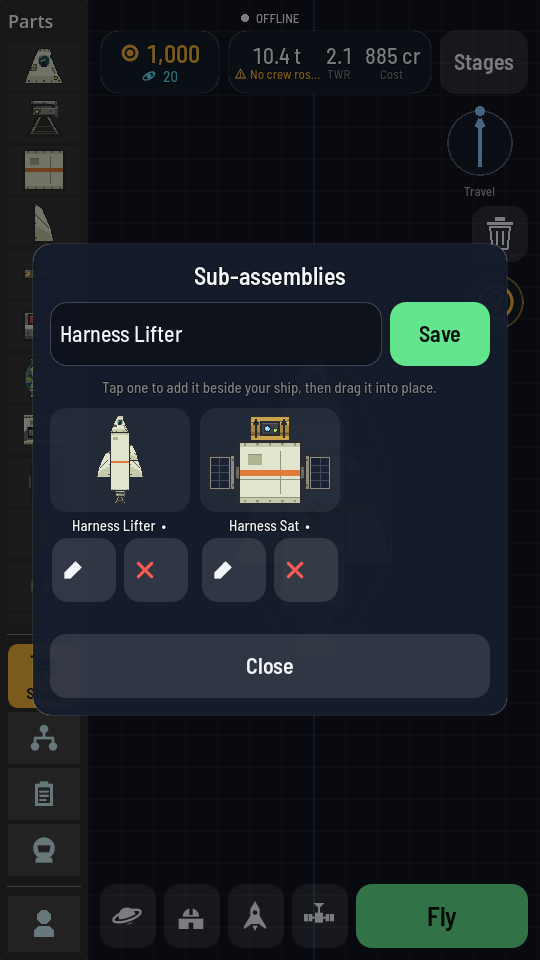
Each piece is shown as a picture of its parts.
Add it to a rocket
- Build or load the rocket you want to add the piece to.
- Open Sub-assemblies and tap the piece's picture. The sheet closes and a copy of the piece stands beside your rocket, not yet joined to it.
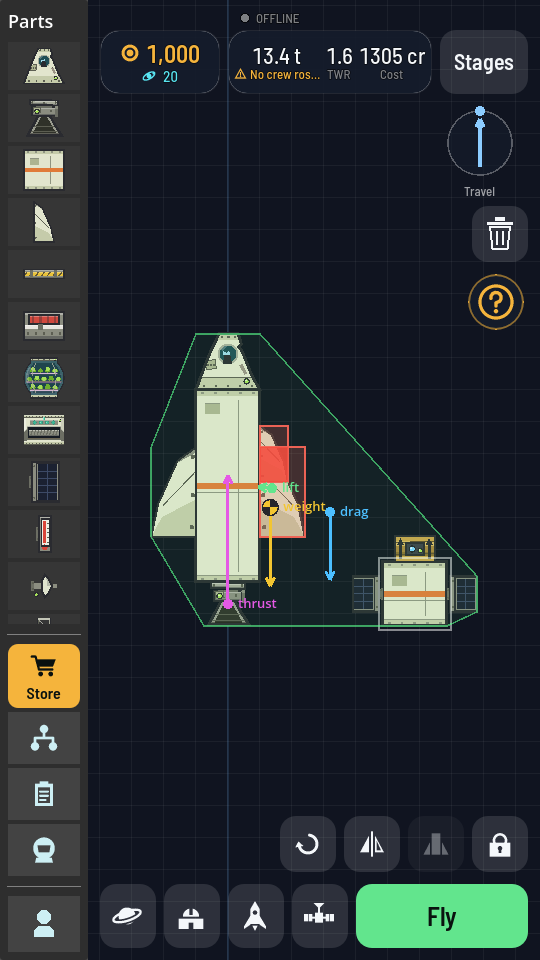
The satellite is set down beside the rocket, ready to be dragged on. - Drag it onto the rocket. It moves as one piece and joins where it touches, like any part you drag from the palette. See Building a rocket.
What you should see
The piece comes with its own joints, mirrored pairs and fuel lines. Its stages are added after your rocket's, so it fires after the rocket that carries it; check them under Stages. Seats in the piece come empty, so seat crew on it again if it needs them (Seat crew on a pod). If your rocket already has a command part, that one stays in control.
Change, rename or delete one
- Change it: tap the pencil under its picture. The piece opens on its own on the build area, in place of what was there (save your rocket to your ships first if you want to keep it). Make your changes, open Sub-assemblies again and tap Save; the name field already holds its name.
- Rename it: open it with the pencil, type the new name and tap Save. It moves to the new name and the old one is gone.
- Delete it: tap the red cross under its picture.