Running a contract
Take your first paid job: open the board, sign an offer, fly the rocket that meets its goal, and watch the reward land. One flight, and the starter rocket is enough for it.
What you need
- You have flown once. Your first flight is the flight this guide asks you to fly again, for money.
- You are in the shared world, not sandbox. Sandbox flies beautifully and signs nothing.
- You have an Administration. It stands on Earth from the start, and a new one holds three contracts at once.
At the end you will have signed a contract, met its goal in flight, and been paid an advance and a reward on top of everything the flight already earned you.
Sign the job
- Open the Space Center. From the hangar, tap the Space Center button (the dome on the bottom bar). The title reads "Space Center · Earth" and a strip of buildings stands along the ground.
- Tap the Administration. It is the wide office block on the strip. A ring is drawn round it and its sheet opens underneath, with its level and the two figures that matter: CONTRACTS AT ONCE and CONTRACT TIERS.
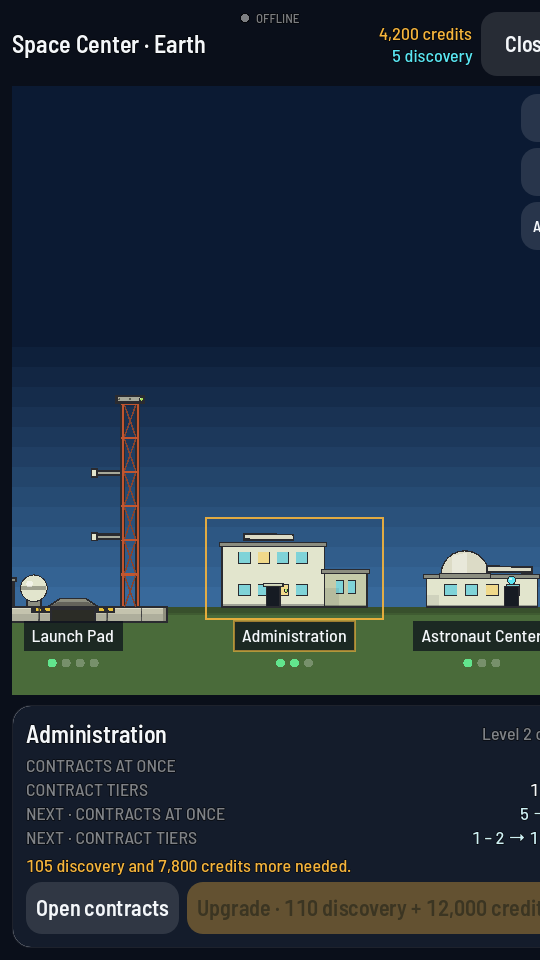
The Administration's sheet. Open contracts is the button on the left along the bottom. - Tap Open contracts. The board opens over the Space Center. The line under the title counts what you hold and what is on offer, for example 0 / 3 under way followed by how many offers there are. Offers sit under the heading ON OFFER. Above them is the PROGRAMME, the ordered chain of missions the game suggests next; it plays by different rules and is explained separately. Scroll past it for the paying work.
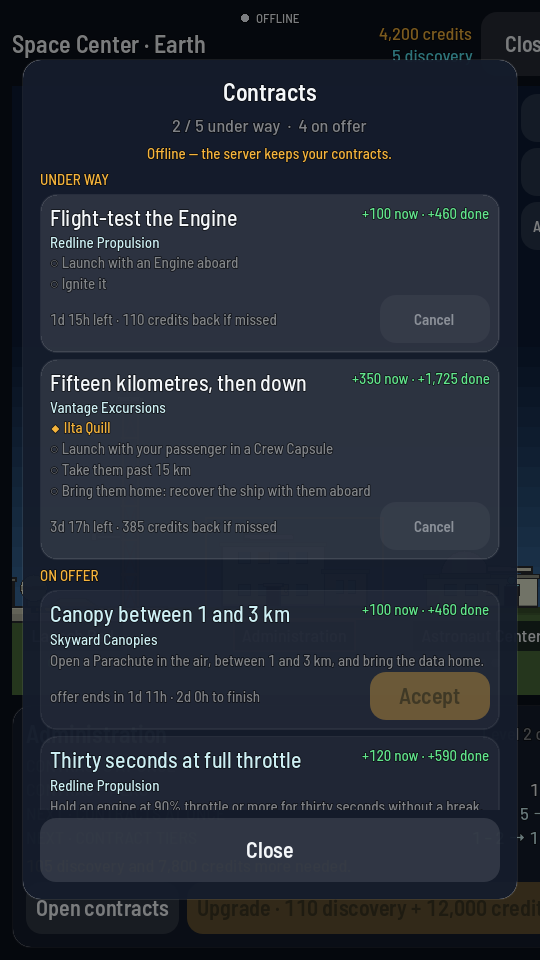
Each offer gives the company, the brief, the pay and two countdowns. - Read one offer properly. Take Canopy between 1 and 3 km from Skyward Canopies. Its brief reads "Open a Parachute in the air, between 1 and 3 km, and bring the data home." The green line on the right says +100 now · +460 done. The grey line at the bottom gives two different clocks: how long the offer stays on the board, and how long you would have to finish it once signed, which for this job is two days.
- Tap Accept. The button reads "Signing…" for a moment. Then the row moves up under UNDER WAY, its goals appear underneath it with an open circle each, and the purse at the top of the board is a hundred credits richer. The countdown under the row now reads how long you have left and what the job costs if you miss it.
- Tap Close. Then close the Space Center and go back to the hangar.
Fly the goal
- Check the rocket carries what the job needs. This one needs a Parachute, and the starter rocket already has one on top of the pod. A goal that names a part is a goal you lose by leaving that part off.
- Launch. Tap Fly, then STAGE on the pad. The rocket climbs, the tank empties, and it coasts up and over.
- Watch the altitude on the way down. The counter at the top left is what the goal is judged against. This job wants the canopy opened between 1 and 3 km, so let the rocket fall past its peak and wait until that number is inside the band.
- Open the parachute inside the band. Tap the chute on top of the pod and tap Deploy. The canopy blooms, the fall slows, and the goal is met the instant the part fires. A toast slides down: CONTRACT COMPLETE, the job's title, and what it paid.
- Check the board without leaving the flight. Tap the three-bar button for the flight menu and then CONTRACTS. The board opens read-only with only what is under way on it, and a met goal is green with a ✓ in front of it. It works the same on the map.
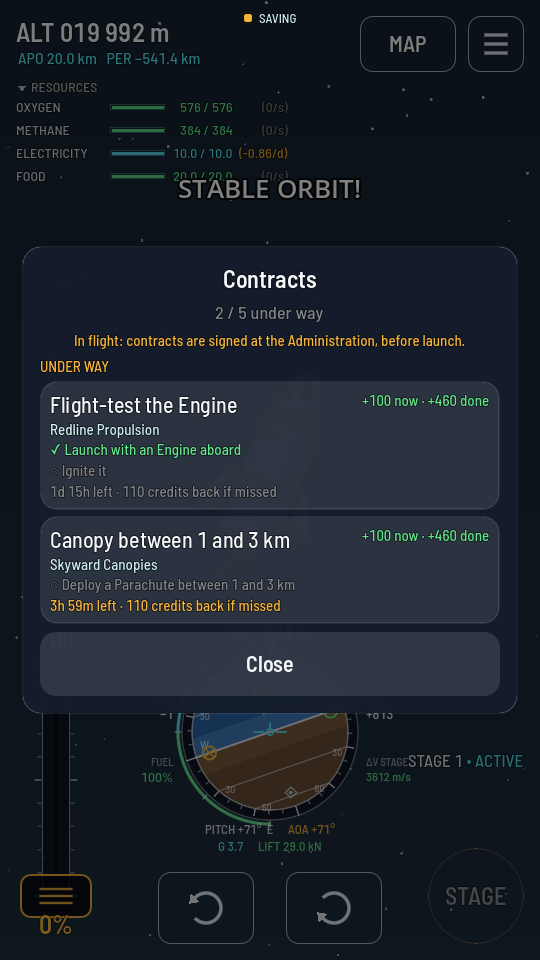
In flight the board is your mission list: ticks are goals already met. - Land and recover. Set the rocket down, wait for it to stand still, then open the menu and tap RECOVER. The reward was already paid when the goal was met; the recovery is the parts money on top.
What you should see
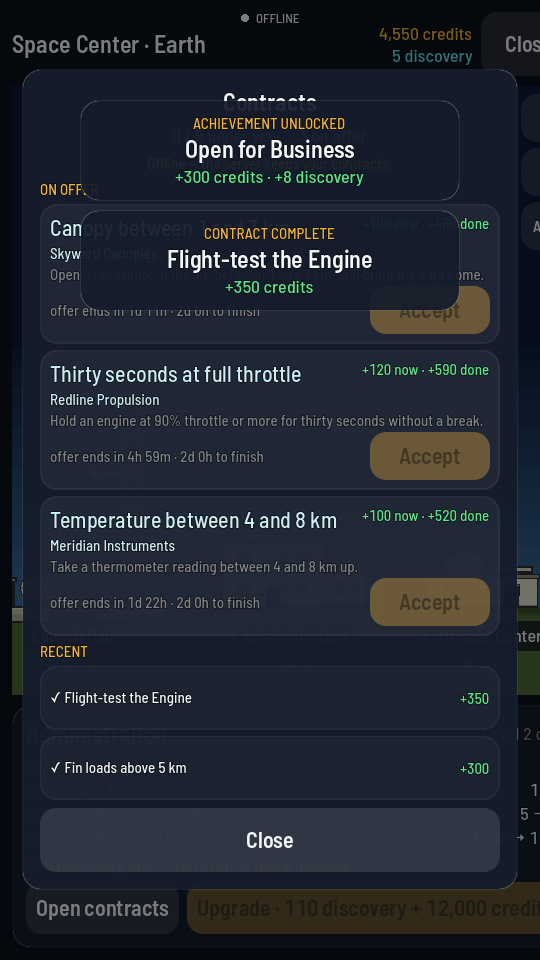
Back at the Administration, the board carries a new row under RECENT with a ✓ in front of the job's title and the reward beside it in green. The UNDER WAY count has dropped by one, so there is room to sign the next offer, and the offer you just flew may or may not ever be drawn for you again.
What went wrong?
The goal never ticked. The condition was not met inside one flight. A height goal is judged on the altitude at the moment it happens, so opening the chute at 4 km misses a band that ends at 3 km. Fly it again; the contract is still under way until its deadline.
Nothing ticks at all, and the row says signed after this ship left the pad. The ship you are flying was already up when you signed that contract, and a contract is only ever met by one that leaves the pad afterwards. Take the flight home or leave it in orbit, then launch a fresh rocket for the job.
The Accept button is greyed out. Every slot on the Administration is full. Finish one, drop one, or extend the building. The line under the title says which.
The board says contracts are signed in the shared world. You are in sandbox. Leave it from the settings and open the board again.
The deadline ran out. The row moves into RECENT with a ✕, and the advance comes back out of your credits with a tenth of it on top. Nothing else is lost; sign another.
Next
Keep every slot full. Contracts pay best when one flight carries several of them, and a rocket that has an Engine, a Parachute and a Thermometer aboard can meet three companies' goals on one climb. When the first tier starts repeating itself, extend the Administration to open the next one. Read Contracts for how the board behaves and the contracts reference for what each tier pays.