Draw a fuel line
Send fuel from one part to another: from a tank to an engine it is not stacked on, or from one tank into another to keep it full.
Use this when an engine cannot reach a tank because a beam or a pod stands between them, when you want one tank to keep another topped up, or when fuel should only ever flow one way between two tanks that are already joined. See Where the fuel goes for what a line does and why.
Before you start
- Both parts are on the canvas.
- Each end is a part fuel runs through: a tank, an engine, a separator or decoupler, a docking port. A line cannot end on a beam, a pod, a cabin or a solid booster, because fuel cannot get into them.
- Tap the part the fuel comes from, then tap it again. Its panel opens along the bottom of the canvas, with a Fuel line button under Rotate, Flip, Symmetry and Lock.
- Tap Fuel line. The button turns amber and reads Cancel fuel line, the part is ringed in orange, and every part a line could end on is outlined.
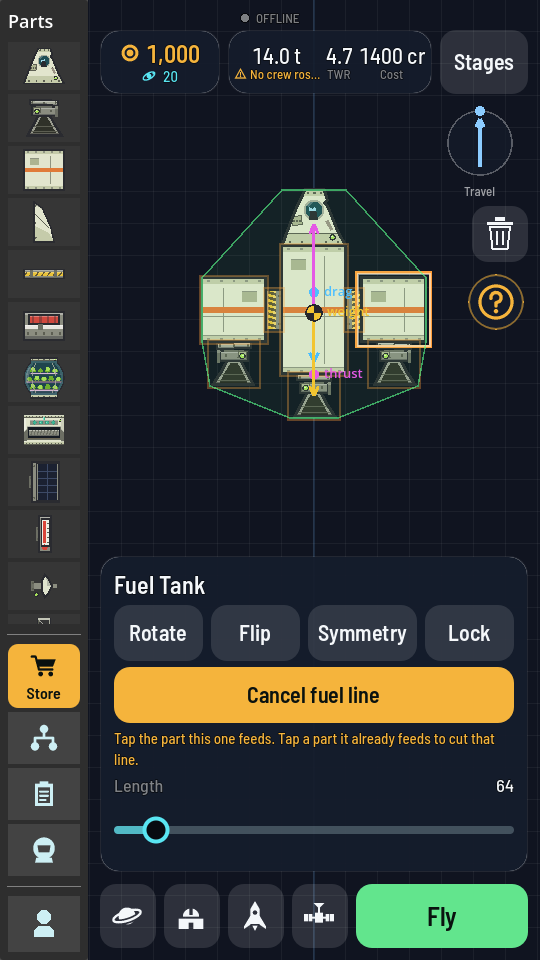
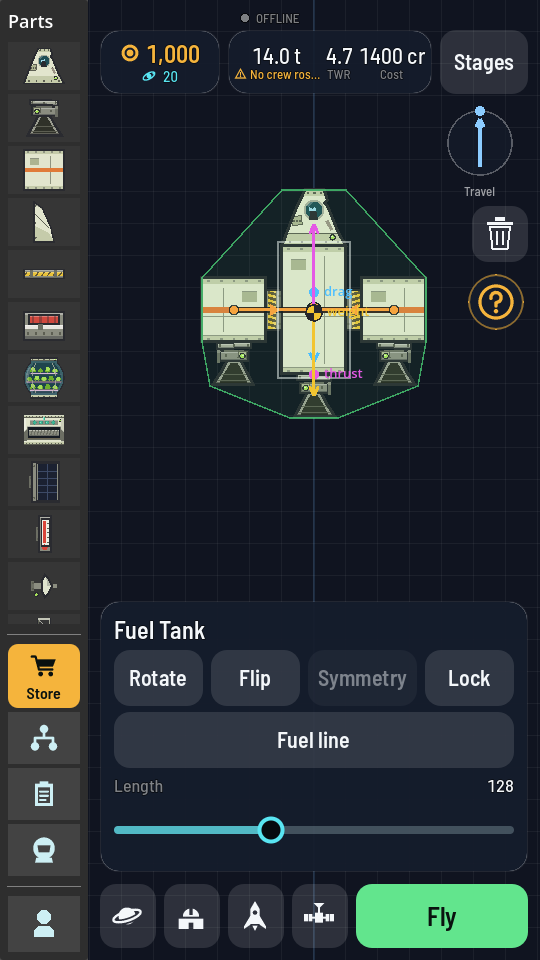
Drawing a line out of the right side tank: the panel says what the next tap does. - Tap the part the fuel goes to. An orange line runs between the two, with a dot at the part the fuel leaves, a ring at the part it reaches, and an arrowhead halfway along pointing the way it flows. If the part you started from has a mirror twin, the twin gets a line to the matching part too.
What you should see
The line stays on the canvas and follows its two parts wherever you drag them. Tap the strip along the top of the hangar and the breakdown counts it: Fuel lines and how many the ship carries.
What the line does
- Into a tank, it fills it. The tank at the arrow's end is topped up from the one at its start for as long as that one has fuel, whether or not an engine is burning.
- Into an engine, it feeds it. The engine burns from the tank the line comes from, even with a beam or a pod between them.
- Beside a joint, it sets the direction. Two tanks joined through a decoupler or separator share fuel both ways. Draw a line between them and fuel only flows the way the arrow points.
Cutting a line
Do the same again: tap the part the line comes from twice to open its panel, tap Fuel line, then tap the part it goes to. A line that is already there is cut, together with its mirror image. To stop without drawing anything, tap the same part again or tap empty canvas.